
Final Draft vs. Fountain: Which Format Should You Use?
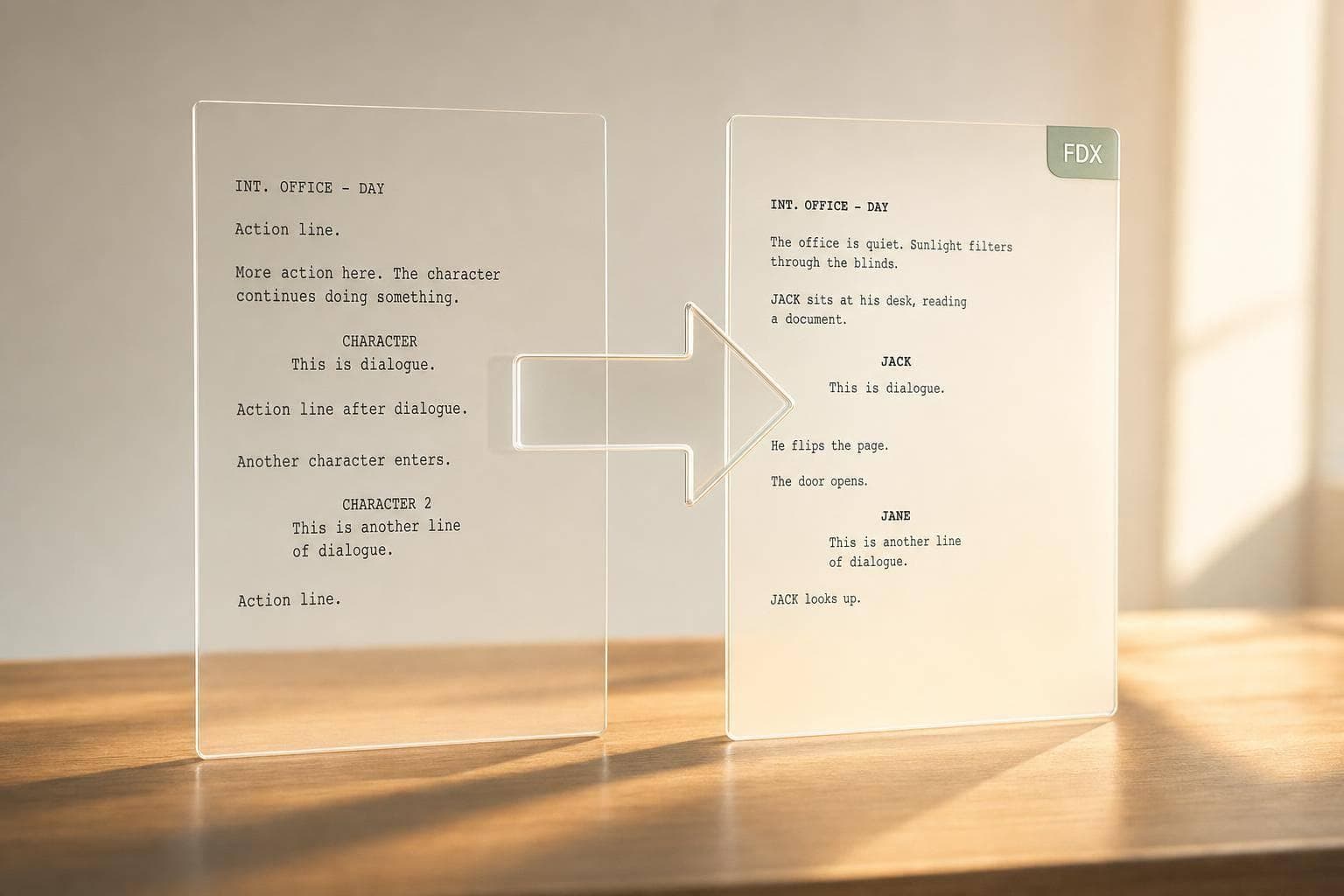
Final Draft vs. Fountain: Which Format Should You Use?
If I need a simple answer, it’s this: I use Fountain while writing and revising early drafts, and I use Final Draft (.fdx) when I need to send an editable script to producers or a writers’ room.
Here’s the whole article in plain English:
- Fountain is plain text, so I can write in almost any editor
- .fdx stores screenplay structure and production details
- Fountain is better for solo drafting, text diffs, and Git-based history
- .fdx is better for handoff, room revisions, scene locks, and revision colors
- A common workflow is: draft in Fountain, deliver in .fdx
- In Scriptwood, every save creates a named draft, which helps me review and restore past versions
About 80% to 90% of the decision comes down to one question: what happens next with the script?
If the next step is writing, Fountain is often the better fit. If the next step is formal review or production handoff, .fdx usually makes more sense.
Quick Comparison
| Criteria | Final Draft (.fdx) | Fountain |
|---|---|---|
| File type | Structured XML | Plain text |
| Best use | Handoff and production work | Drafting and text-based history |
| Editing | Screenwriting apps | Any text editor |
| Revision data | Yes | Very little |
| Draft comparison | Less text-friendly | Easy with diff tools |
| Writers’ room use | Better fit | Less common |
| Producer delivery | Standard choice | Usually not first choice |
My takeaway: Fountain is for writing. .fdx is for delivery. If I want both, I can draft in one format and export the other when the script moves to the next stage.
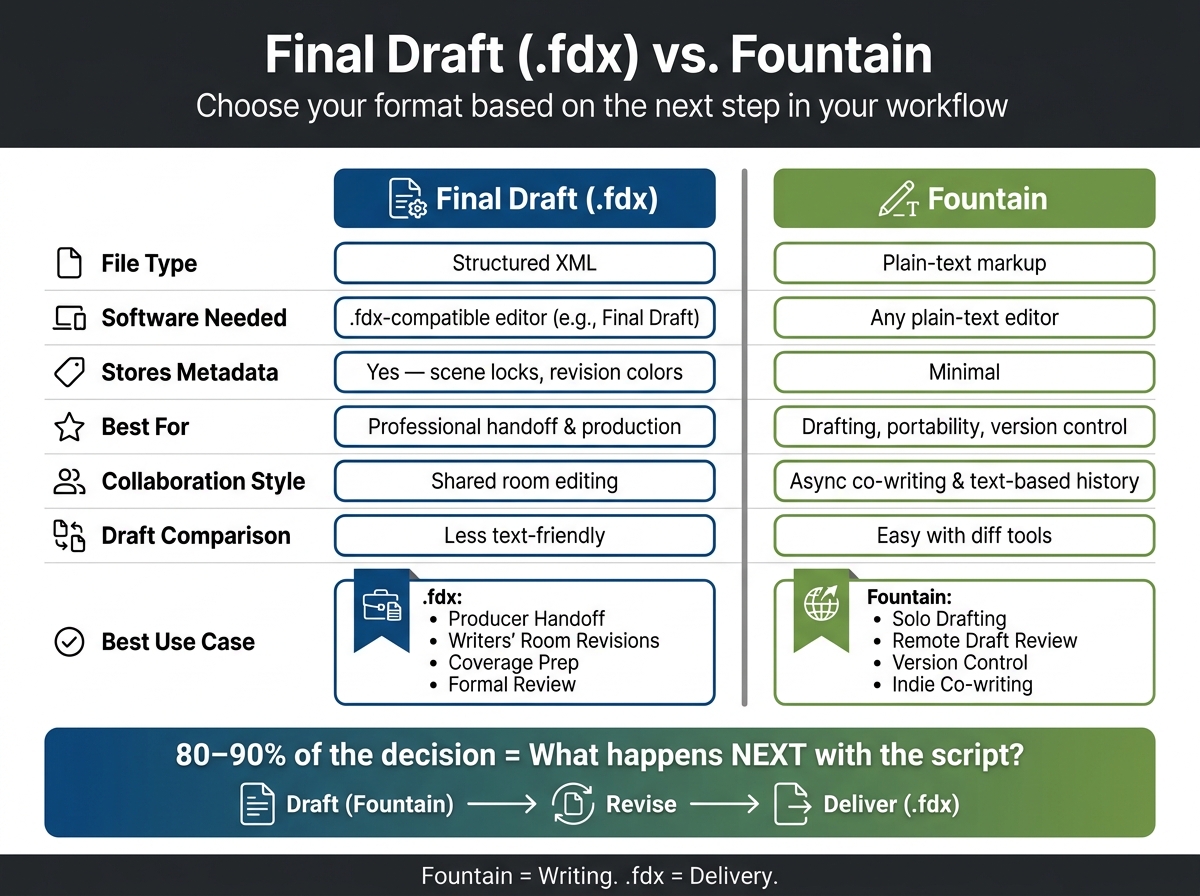
Final Draft (.fdx) vs. Fountain: Screenplay Format Comparison
What Each Format Is and How It Works Day to Day
Final Draft (.fdx): Structured Screenplay Files for Editing and Handoff
Final Draft (.fdx) is a structured screenplay file format. It stores scene headings, action, dialogue, transitions, and production details like revision colors and scene locks as data. That matters when a script moves from one person to another and those revision settings, locks, and production notes need to stay intact.
Fountain: Plain-Text Screenplay Markup for Portability and Simple Versioning
Fountain is a plain-text markup format you can open and edit in any plain-text editor. Screenplay tools can read its syntax without much trouble. Since the file is plain text, it also works cleanly with version control systems like Git, which makes it a good match for simple versioning and async collaboration. In day-to-day use, Fountain is often a better pick for fast drafting and text-based version history.
Use this comparison to judge which format fits the next stage of work.
| Feature | Final Draft (.fdx) | Fountain |
|---|---|---|
| File type | Structured XML | Plain-text markup |
| Software needed | .fdx-compatible editor | Any plain-text editor |
| Stores metadata | Yes (scene locks, revision colors) | Minimal |
| Best for | Professional handoff and production | Drafting, portability, version control |
| Collaboration style | Shared room editing | Asynchronous co-writing and text-based history |
That tradeoff between structure and portability tends to matter most during drafting, revision, and collaboration.
sbb-itb-609c31f
Final Draft vs. Fountain for Drafting, Revisions, and Collaboration
Early Drafting: Speed and Writing Momentum
This gap shows up fast when you're trying to keep a first draft moving. Fountain keeps that early momentum going because friction stays low: open any text editor and start writing.
Start in .fdx when the script is already headed to a producer or production and you want to skip a later conversion.
Revisions and Draft Management: Tracked Changes vs. Text-Based Version History
Final Draft keeps revision settings and handoff formatting inside the file. That works well for controlled handoff processes.
Fountain goes the other way. Since it's plain text, you can compare versions with standard text-diff tools. In Scriptwood, Draft History automatically creates a named draft for every save, and Draft Comparison makes it easy to review changes between versions - every save creates a named draft, so you can browse history and restore earlier versions.
Collaboration: Shared-Room Editing vs. Asynchronous Co-Writing
The same tradeoff shows up when teams share pages. The table below makes the workflow fit a little easier to spot.
| Scenario | Better Format | Why |
|---|---|---|
| Writing room | .fdx | Room-based editing with production-focused revision tracking |
| Indie team co-writing asynchronously | Fountain | Plain-text files are portable and easy to version |
| Producer handoff | .fdx | Industry standard for formal handoff |
| Remote draft review | Fountain | Easy text diffs and simple versioning |
Those tradeoffs lead to the next question: which format fits your workflow best?
Fountain: From Google Docs to Final Draft
Which Format Fits Which Screenwriting Workflow
Pick the format based on the next step in the workflow, not on personal taste. That simple shift clears up a lot.
| Use Case | Better-Fit Format | Reason |
|---|---|---|
| Solo Writing | Fountain | High portability and writing momentum; simple text-based versioning |
| Coverage Prep | .fdx | Keeps screenplay structure explicit for coverage and analysis |
| Draft Comparison | Fountain | Plain-text makes it easier to track line-by-line changes in simple editors |
| Producer Handoff | .fdx | Industry standard for editable files and formal production revisions |
| Room Revisions | .fdx | Industry standard for room-based revisions and formal review |
The pattern is pretty clear: use Fountain when speed and clean text matter most, and use .fdx when the script needs to move through formal review or production work.
Best Format for Solo Writing, Coverage Prep, and Draft Comparison
Coverage prep is the main exception. For coverage, .fdx keeps scene headings, dialogue, and page structure explicit. That makes it easier for analysis tools to read the script the same way each time.
That’s the tradeoff in plain English: use structure when the script needs analysis, and plain text when it needs speed.
For draft comparison, Fountain has the edge because text-diff tools read it cleanly. Scriptwood's Draft Comparison feature also makes it easy to review line-by-line changes between named saves.
Best Format for Producer Handoff, Polished Delivery, and Room Revisions
For producer handoff, use .fdx. It preserves standard screenplay formatting in an editable file, which is what most production-facing workflows expect.
A practical way to handle this is simple: write in Fountain during development, then export .fdx for delivery. Development can stay in Fountain, but delivery should move to .fdx.
Using Scriptwood to Work With Both Formats Without Losing Draft History
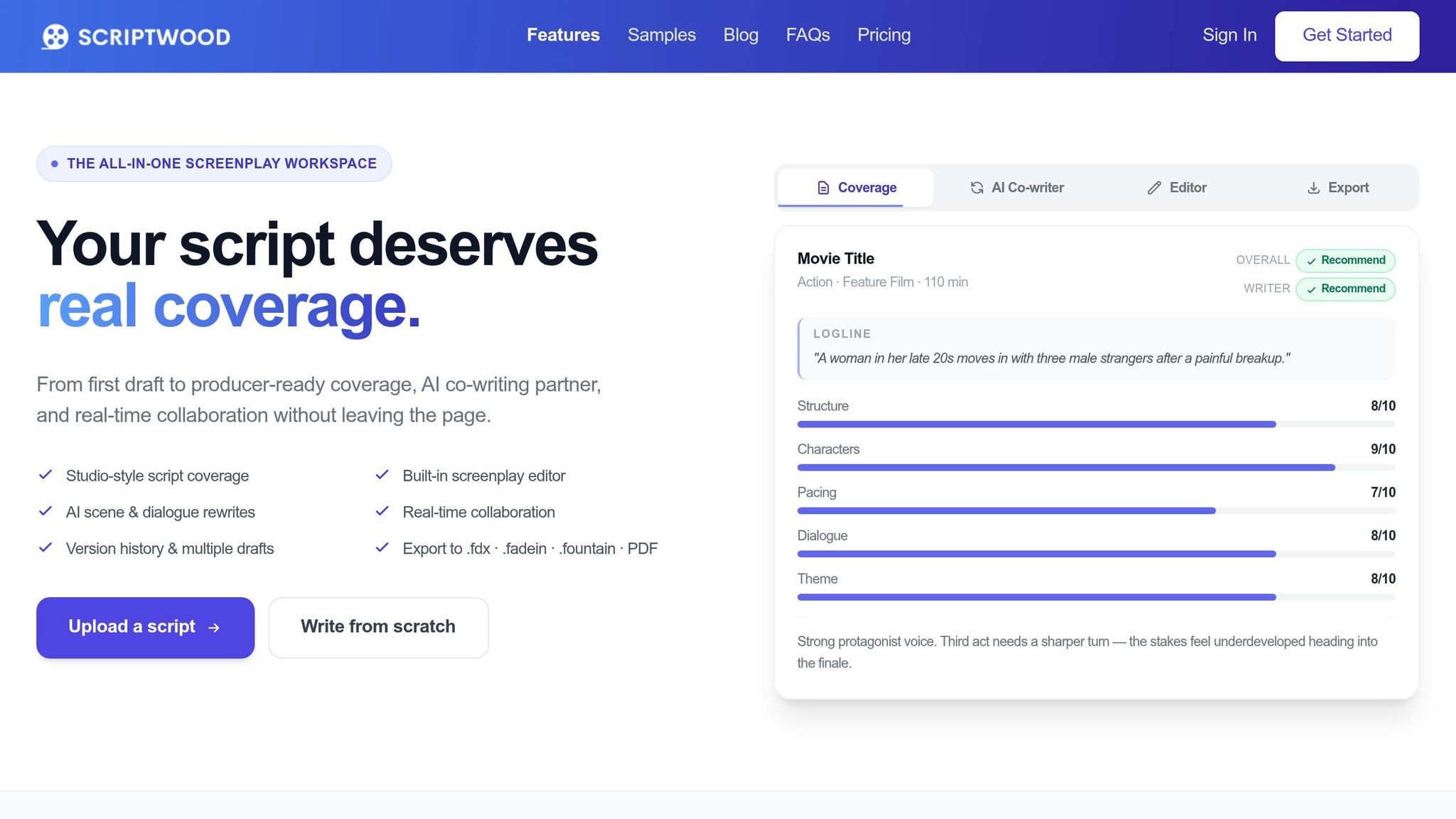
Your draft format doesn't need to match your delivery format. If you want to go from Fountain drafting to .fdx delivery without messing up version history, keep the whole process in one place. Scriptwood keeps your revision history intact, so you can switch between drafting and export without losing the changes in each version.
Draft in Scriptwood, Then Export the Right Format for the Next Step
Scriptwood's Writing Editor lets you start from scratch or upload a file. Use Draft Comparison to review changes before you export. That gives you a clear look at what's changed, so picking the right export format for the next step is much easier.
When the draft is ready to go out, use .fdx for producer handoff or writers' room revisions. Use Fountain export for plain-text archiving and version control. Either way, your draft history stays in Scriptwood.
It also helps to label versions clearly. A name like "Producer Notes - Aug 21" makes the right file easier to find later.
Conclusion: Use Fountain for Flexibility, Use .fdx for Formal Handoff
The choice comes down to where the script is in your workflow.
Fountain works best for drafting, version control, and light co-writing. .fdx works best for formal handoff and production. If you want portable drafting, plain-text version control, and a lighter writing setup, Fountain makes sense. When the script is ready for a producer or headed into production, .fdx is the format those teams expect.
A lot of writers use both at different points because each one fits a different stage. The format should support the next step, not the other way around.
That switch gets easier when your draft history stays in one place. With Scriptwood, every save creates a named draft you can browse and restore later.
Use Fountain while the script is still in development; use .fdx for formal delivery.
FAQs
Can I switch from Fountain to .fdx later?
Yes. In Scriptwood, you can keep writing in Fountain and later export or share your script as Final Draft (.fdx) for producer handoff.
Exports support Final Draft (.fdx), and PDF may also be available depending on your plan.
Will I lose formatting when exporting between formats?
Some formatting may shift based on the export you choose. In Scriptwood, scripts can be exported as PDF or screenplay files like Final Draft (.fdx), so the same script may look a little different from one format to another.
If you need industry-ready formatting for a producer handoff, export to .fdx. If your workflow leans on plain text and version control, keep the script in that format until you're ready to export. Coverage always exports as PDF.
Which format is better for remote co-writing?
For remote co-writing, use Scriptwood’s collaboration workflow with real-time co-writing and inline scene comments. It’s built for inviting co-writers and working together online, so you can write in the same draft without the usual back-and-forth mess.
When it’s time for handoff, export in the format you need, such as PDF or industry formats like Final Draft .fdx, depending on your plan.