
7 Ways AI Can Speed Up Script Rewrites
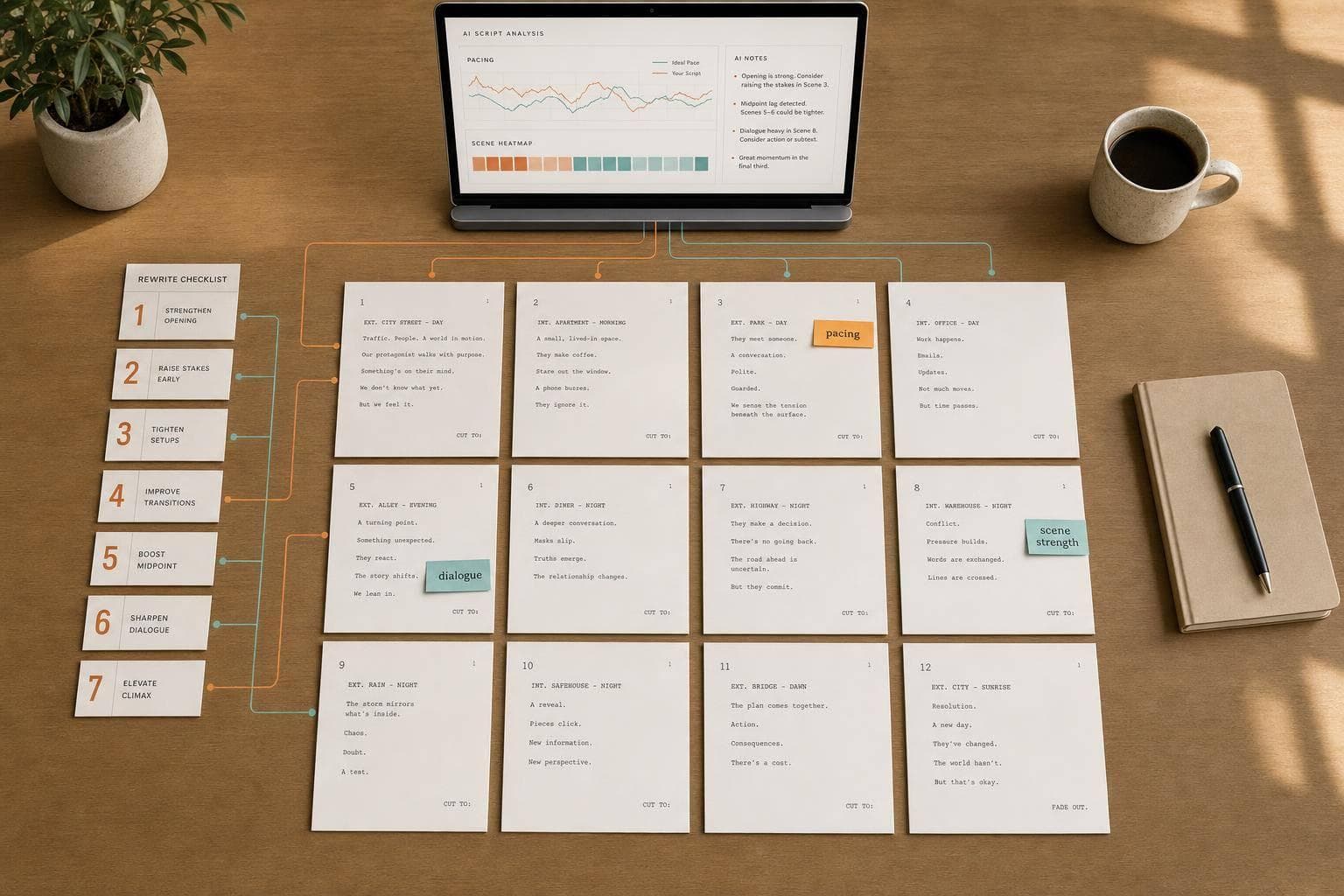
7 Ways AI Can Speed Up Script Rewrites
AI can help you rewrite a script in less time by finding weak scenes, slow beats, dialogue problems, and draft-to-draft changes fast. One source cited in the article says AI script analysis can cut evaluation and decision time by 95%, turning work that often takes weeks into hours.
If I had to sum up the article in plain English, it’s this:
- I use AI first to spot problems, not to make final story choices.
- I rewrite in this order: structure, scenes, then dialogue.
- I use AI to:
- find weak scenes
- trim dialogue
- fix pacing
- check character consistency
- compare drafts
- test alternate scene versions
- turn broad notes into a rewrite checklist
- I still review every AI suggestion by hand because output can be wrong, partial, or uneven.
The core idea is simple: less time guessing, more time rewriting. AI works best as a first-pass filter that helps me see where to cut, combine, reorder, or rewrite.
Quick Comparison
| Use case | What AI helps with | What I still decide |
|---|---|---|
| Weak scenes | Flags low-conflict or weak-payoff scenes | Cut, move, or rewrite |
| Dialogue | Spots long, forced, or expositional lines | Voice, subtext, rhythm |
| Pacing | Finds slow or repeated beats | What to trim or merge |
| Character consistency | Flags motivation or voice drift | Final character logic |
| Draft comparison | Shows inserts, cuts, and scene moves | Whether changes work |
| Scene variants | Gives alternate takes on a scene | Which version fits |
| Rewrite task list | Turns broad notes into scene tasks | Final rewrite plan |
So if you’re facing a deadline, a producer read, or a room note pass, this article’s message is clear: use AI to diagnose first, then rewrite with intent.
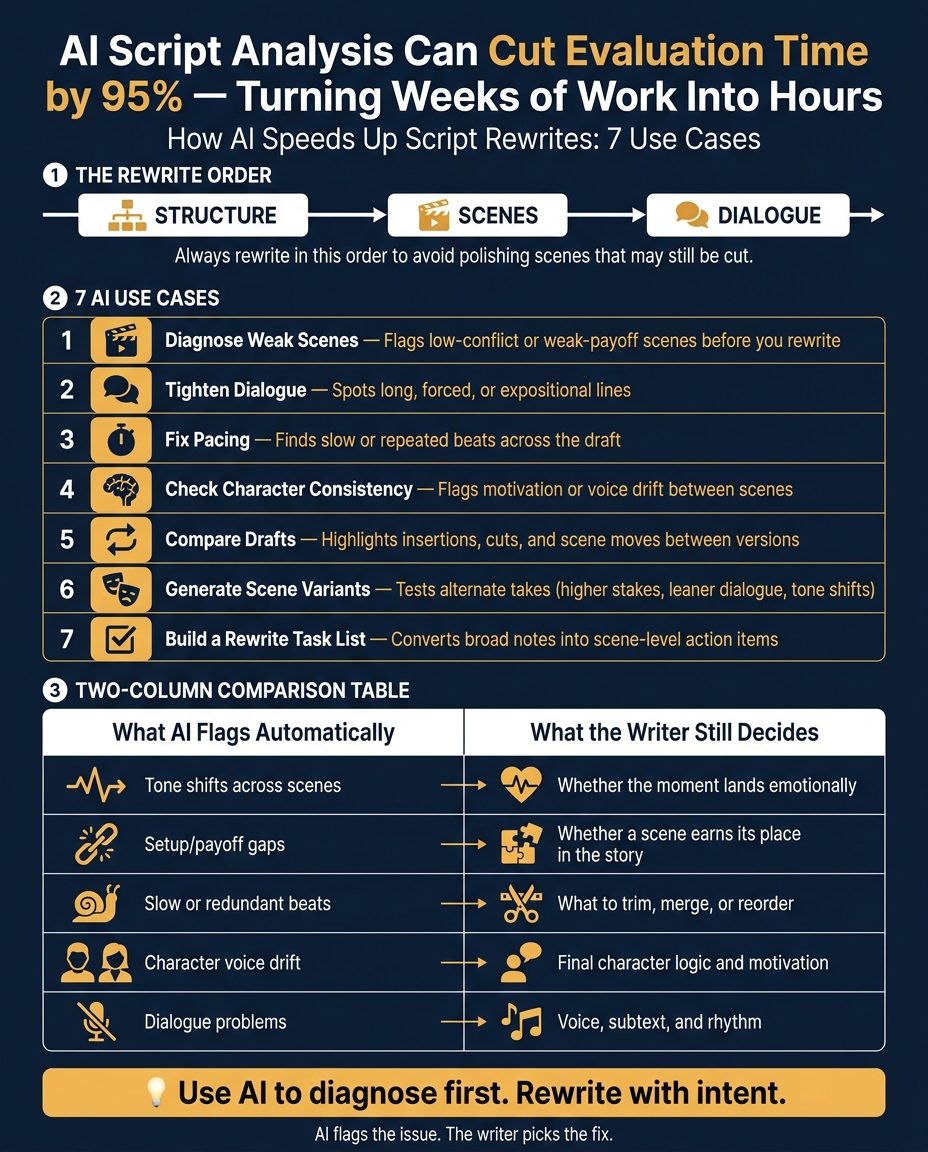
AI vs. Writer: What Each Does in a Script Rewrite
Where AI Fits in a Standard Rewrite Pass
Handle rewrites in layers: structure first, scenes next, dialogue last. That sequence helps you avoid polishing a scene that may still get cut or reshaped later. Begin with coverage so you can spot structural problems, pacing issues, and character gaps before you start changing line-by-line writing.
Once that big-picture pass is done, use AI chat or rewrite tools on one scene at a time. That works well for tightening dialogue or trying alternate versions without losing control of the whole script.
After each round of changes, compare drafts to track what shifted and catch continuity problems early. Then the first rewrite pass can focus on diagnosing the weakest scenes instead of guessing where the trouble is.
AI output can be inaccurate, incomplete, or inconsistent. Check every suggestion against your story goals, tone, and production limits. AI can point to problems, but the writer still makes the call.
sbb-itb-609c31f
1. Diagnose Weak Scenes with AI Coverage
Use AI coverage to find the scenes that need the most work. Upload the script, review the scene-by-scene diagnostic, and aim the rewrite at the exact trouble spots instead of tearing through the whole draft at once.
These tools can show where the story starts to slip. A report may point to weak-conflict scenes, missing setup, or a payoff that falls flat before you even begin rewriting.
You can also use Scriptwood's AI Consultant to ask direct questions about problem areas in the script. For example, ask which Act 2 scenes have the weakest conflict. That takes the coverage notes and turns them into a clear answer you can act on, plus a concrete rewrite task list.
AI points out the problem. The writer still decides what to do next, whether that means cutting a scene, moving it, or rewriting it. Once you've mapped the weak scenes, the next pass can zero in on dialogue and pacing.
2. Tighten Dialogue Without Losing Character Voice
After the structural pass, shift to dialogue and go line by line. This is often the fastest way to pick up pace. When dialogue runs long, scenes start to feel heavy. When characters explain too much, the script loses energy. And when lines say exactly what everyone already knows, subtext disappears.
Once you've mapped the weak scenes, use coverage to spot dialogue that feels forced, redundant, or loaded with exposition. Then use AI Rewrite & Chat to tighten a few exchanges or rework a full scene based on those notes.
AI can point to the problem. The writer still has to decide what to do with it. Maybe the line needs to be cut. Maybe it should be compressed. Maybe it needs a different shape. Subtext, rhythm, and voice still come from the writer. AI can't make those calls.
After the rewrite, compare drafts and make sure the scene reads leaner without losing voice. Use Draft Comparison to check that the tighter dialogue still sounds like each character.
3. Spot Slow or Redundant Beats to Fix Pacing
Pacing issues can slip by during a long rewrite. One scene might do the same job as another. Or two transition moments may hit almost the same beat in slightly different ways. That kind of overlap can quietly slow the script down.
AI coverage can help you spot those pacing problems by flagging scenes that stall momentum and transitions that run too long. Once you’ve found those slow spots, use that same pass to check what’s actually wrong: is the issue pacing, character behavior, or a mix of both?
Then move to AI Consultant and turn those flags into direct rewrite questions. For example, ask which beats in Act Two repeat information or could be merged.
After you cut or combine scenes, run a Draft Comparison to make sure the change improved flow instead of just pushing the drag somewhere else. Once pacing is in better shape, the next rewrite pass can focus on whether each character still acts the same way from scene to scene.
4. Check Character Consistency Across the Draft
Once pacing is in shape, check whether each character still feels like the same person from scene to scene.
This is one of the hardest issues to spot on your own. When you're buried in a long draft, it's easy to miss when a protagonist's voice or motivation shifts between scenes. AI Coverage can flag those inconsistencies fast.
Use AI Coverage to spot character-arc and logic gaps in a character's arc. Then switch to AI Consultant and ask focused follow-up questions about the flagged scenes. For example, you might ask whether Character X's motivation in Scene 50 clashes with Scene 10.
Once you've fixed those contradictions, check that the rewrite didn't cause new voice drift. Run Draft Comparison to see whether your edits changed a character's diction or voice, so each character stays consistent from page one to the last scene.
5. Compare Drafts Faster with AI-Assisted Change Tracking
Once your scene-level edits are in, the next step is simple: compare drafts and see what changed.
Scriptwood's Draft Comparison tool highlights insertions, cuts, and scene moves between two script versions. So instead of rereading the full draft line by line, you can go straight to the parts that shifted. That makes continuity issues easier to catch before your next rewrite pass.
The Scriptwood editor also saves every version as a named draft. In plain English, you get a built-in restore point each time you save. If a revision path goes sideways, you can look back at earlier drafts, roll back to a prior version, and keep testing ideas without losing your past work.
That shared comparison view also helps when more than one person is working in the script. Everyone can look at the same revision changes and keep notes lined up in one place.
Still, it's smart to review any structural change by hand before you treat it as final.
Draft Comparison and Draft History are included in every plan.
6. Generate Alternate Scene Versions for Faster Iteration
Once your coverage shows a scene needs work, you don't have to rebuild it from scratch. Sometimes a scene is almost there but still doesn't hit hard enough. Maybe the stakes feel flat. Maybe the tone drifts. Maybe the structure just doesn't click. In those cases, use AI to test a few focused alternatives before rewriting the entire scene.
A simple way to do this is to ask for scene variants based on one clear change at a time. You might prompt for:
- higher stakes
- leaner dialogue
- a darker, lighter, or tenser tone
Then save each version as its own named draft using Drafts & Version History so you can experiment without overwriting anything.
You can also use AI Chat to pressure-test an idea from your coverage notes. Say your notes point out that a scene lacks tension. Ask how to push that tension up in that exact moment, then use the reply to build a new version with a clear outcome in mind.
That said, don't treat AI output like a final draft. Scriptwood's terms make this point plainly: "You are solely responsible for reviewing, editing, verifying, and deciding whether to use any AI output."
Put the versions next to each other. Read them line by line. Keep the one that serves the scene best, then turn what you learned into a rewrite checklist.
7. Turn Coverage Notes Into a Rewrite Task List
Broad notes are the hardest kind to rewrite from. They sound useful on the surface, but when you sit down to revise, they can feel slippery. The fastest way to deal with that is to turn each vague note into a scene-level action item.
Broad notes are tough to act on. A better move is to use AI Consultant to convert them into scene-level questions. For example, ask: "Which specific scenes between pages 40 and 60 lack conflict?" AI can point to the scenes, beats, and page ranges that need work.
You can also ask AI Consultant to turn a coverage section into a short scene-by-scene task list. That gives you a checklist you can rewrite from directly. Use it as guidance, not a final call, and check every page reference against the script.
After that, the next step is simple: figure out which fixes AI can suggest and which ones still need the writer’s call.
Once the task list is in good shape, use AI Rewrite to make the targeted changes in the Writing Editor. Then run Draft Comparison to confirm the revision improved the scene without adding new problems. That split matters. AI can point out the target, but the writer decides the fix.
What AI Can Flag vs. What the Writer Still Decides
AI spots technical issues fast, but it can't tell you what a scene means or whether it hits the reader the way you want. That's the line to keep in mind when you turn coverage notes into rewrite priorities.
| What AI Can Flag Automatically | What the Writer Still Decides |
|---|---|
| Tone shifts across scenes | Whether the moment lands emotionally |
| Setup/payoff gaps | Whether a scene earns its place in the story |
| Comic timing and tension | |
| Character motivations and internal logic | |
| Subtext and what's not being said |
AI output can be inaccurate or incomplete, so the writer still decides what to use.
A good way to frame it: AI flags are a first-pass filter, not a verdict. They help you spot where to look first, while the writer decides what the story is trying to do and what needs to change.
Using Coverage Notes as a Revision Roadmap
Treat each note like a prompt for a scene fix. Once you break a note down to the scene level, it gets much easier to match it with a clear rewrite move.
If you use AI Chat to ask which scenes in Act Two have the fewest conflict beats per page, you can trim a fuzzy note down to the exact pages causing the problem.
That gives you a fast path from feedback to action.
| Coverage Note | Concrete Rewrite Action |
|---|---|
| Act Two drags | Compress redundant beats; merge or cut transitions. |
| Raise the stakes | Introduce a ticking clock or hard deadline for the protagonist. |
| Dialogue feels flat | Refine dialogue by character while preserving voice. |
| Character is inconsistent | Trace the character's motivation scene by scene. |
| Plot reveal happens too early | Reorder scenes to delay the reveal for impact. |
| Structure is weak | Reposition key beats like the Midpoint or All Is Lost moment. |
Start with the lowest-scoring category first. That ranked list helps keep the rewrite pass tight and on track.
Use the report to turn broad feedback into a ranked checklist of specific scene edits.
Conclusion
Put these seven use cases together, and one thing stands out: rewrites get faster when the gap between diagnosis, revision, and comparison gets smaller. AI helps most with speed. It lets you spot problems and move to fixes with less back-and-forth. Use it to decide what to cut, compress, or reorder, then make the final calls yourself. AI can flag the issue; the writer still picks the fix.
The result is cleaner pages, faster turnaround, and smoother collaboration. When coverage notes turn into a task list and draft history keeps each version in order, the rewrite moves from note to finished draft with less friction.
FAQs
How accurate is AI for script rewrites?
Scriptwood’s AI-powered analysis reaches 95%+ accuracy when identifying core story elements, character development, and market potential.
That means it can provide highly reliable rewrite and development insights. But the writer still owns the final result, including the quality, integrity, and reliability of the content they create.
What should I rewrite first: structure, scenes, or dialogue?
Start with structure first. It sets the path for the story and shows which scenes need to be there.
Then revise scenes to improve weak spots. After that, tighten dialogue and check that each character still feels like the same person from start to finish.
Scriptwood’s AI analysis can help you sort fixes by structure, pacing, dialogue, and character in that order.
Can AI help without changing my voice?
Yes. Scriptwood’s AI tools can help with rewrites without taking over your voice. They’re built to tighten dialogue, smooth out pacing, and give you useful coverage that supports your vision for the script.
You’re still in charge of the writing. And your scripts aren’t used to train the AI’s general-purpose models. The final style, tone, and word choice stay with you.