
Character Cues in Screenplay Format: Guide 2026
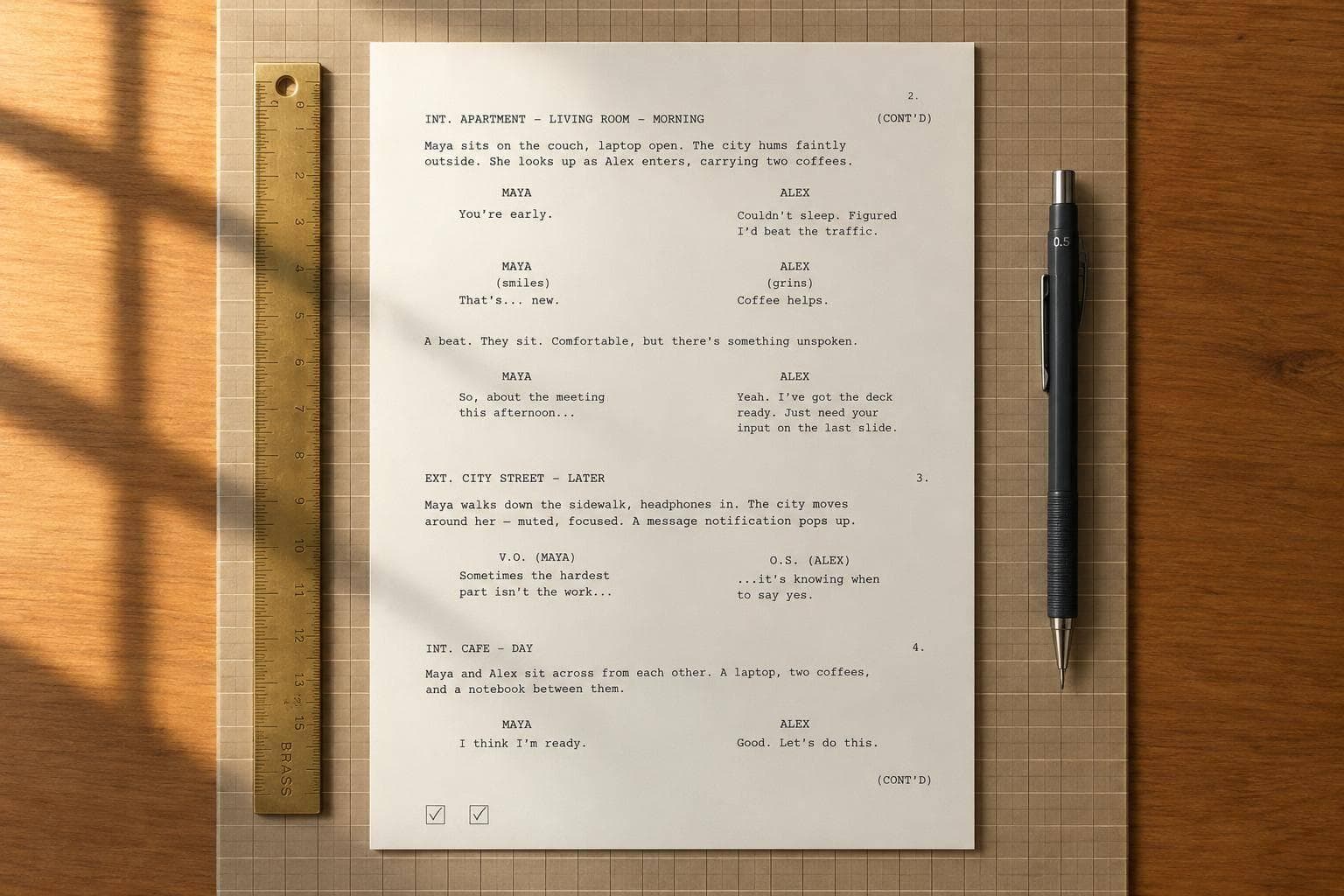
Character Cues in Screenplay Format: Guide 2026
I keep character cues simple: an uppercase speaker name directly above the dialogue, with one consistent label per speaker. Start with your editor’s Character element and a standard 12-point Courier template - not hand-added spaces.
In this guide, I cover:
- Layout: cue placement, page settings, and how cues differ from action and scene headings.
- Dialogue notes: when to use
(O.S.),(V.O.), parentheticals, dual dialogue, and continuation markers. - Speaker checks: keeping names clear across features, pilots, and shorts.
- Final review: checking drafts in Scriptwood, exported PDFs, and reimported Fountain files.
My final check has 2 passes: one for formatting and one for speaker identity. A page can look right and still give a line to the wrong person - so I check <u>who speaks</u>, not just where the name sits.
Formatting Dialogue in Scripts
sbb-itb-609c31f
Character Cue Placement and Formatting
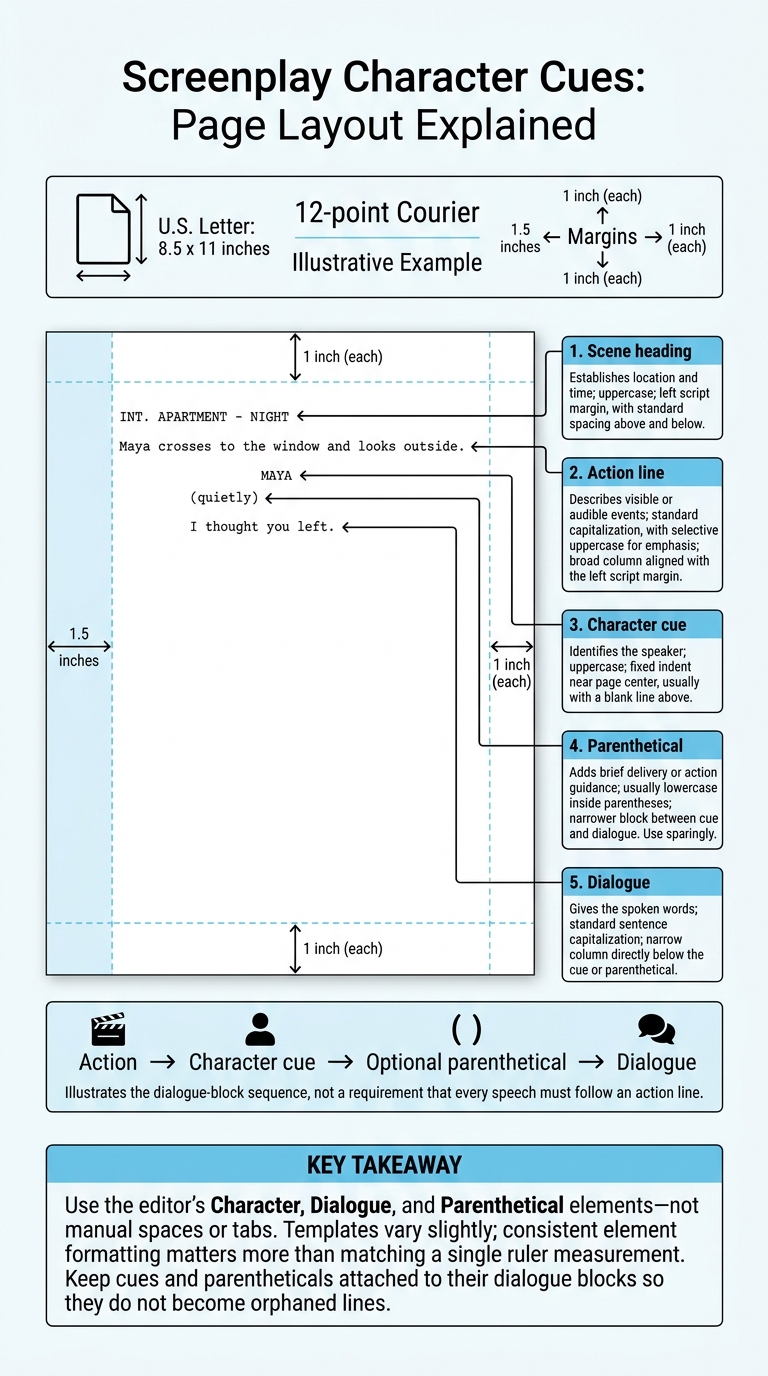
Screenplay Character Cues: Page Layout Explained
Place Character Cues Above Dialogue
Use the editor’s Character element to align the first letter of each character name. Don’t center names manually. Dialogue starts on the line directly below the cue. If you need a parenthetical, place it between the cue and the dialogue.
Layout: Action → character cue → optional parenthetical → dialogue. The example below is a visual reference only.
Maya crosses to the window and looks outside.

                         MAYA
                 (quietly)
             I thought you left.
Keep character names and dialogue notation consistent as you format.
Use Standard Page Settings
Page settings control cue placement, so set them before adjusting indents.
Use 12-point Courier on U.S. Letter paper (8.5 x 11 inches). Set the left margin to 1.5 inches and the top, right, and bottom margins to 1 inch.
Choose the editor’s Character, Dialogue, or Parenthetical element rather than adding spaces or tabs. Each element has its own indent and width. Templates vary slightly, so consistent element formatting matters more than matching a single ruler measurement. Manual spacing can shift during revisions, pagination, or export.
Compare Cues With Other Script Elements
Scene headings tell readers where and when a scene happens. Character cues tell them who speaks. Both use uppercase, but their placement and purpose differ. Keep them separate in the editor.
| Element | Purpose | Capitalization | Position and spacing |
|---|---|---|---|
| Character cue | Identifies the speaker | Uppercase | Fixed indent near page center; usually a blank line above |
| Dialogue | Gives the spoken words | Standard sentence capitalization | Narrow column directly below the cue or parenthetical |
| Parenthetical | Adds brief delivery or action guidance | Usually lowercase or sentence case, inside parentheses | Narrower block between cue and dialogue |
| Action line | Describes visible or audible events | Standard capitalization, with selective uppercase for emphasis or introductions | Broad column aligned with the left script margin |
| Scene heading | Establishes location and time | Uppercase | Left script margin, with standard spacing above and below |
Use parentheticals sparingly. Keep cues and parentheticals attached to their dialogue blocks so they don’t become orphaned lines.
Character Names and Dialogue Notation
Keep Character Names Consistent
Once the cue is in the right place, keep its wording consistent whenever that speaker returns.
Choose one cue form per speaker: a first name, surname, nickname, or role label such as SECURITY GUARD. The character’s first mention in action is separate from the dialogue cue.
If the script includes an identity reveal or name change, explain the switch in action, then stick with the new cue. Before sharing the draft, search for alternate forms of each name.
Use O.S., V.O., and Parentheticals
Cue extensions tell readers where a voice comes from. Place (O.S.) beside the name when the speaker is present in the scene but offscreen. Use (V.O.) for voice-over, such as narration or a recorded message heard over images. Switch back to the plain cue when that condition ends.
A parenthetical goes beneath the cue to clarify delivery or identify the intended listener. Keep it brief. If the dialogue or action already makes the meaning clear, cut it. Put physical actions in action lines instead.
Format Simultaneous and Continued Dialogue
Use dual dialogue or continuation markers when a single cue doesn’t give readers enough guidance.
For simultaneous speech, use dual dialogue: two side-by-side dialogue blocks, each with its own cue. Apply your software’s dual-dialogue format rather than arranging the blocks by hand.
When dialogue continues across pages, the common convention is (MORE) beneath the first portion and (CONT'D) beside the resumed cue. Follow the script’s formatting rules, then check the exported PDF.
Fix Common Character Cue Errors
A paragraph break within one uninterrupted speech doesn’t, on its own, call for another cue.
| Common error | Correction |
|---|---|
| Missing cue after action or a page break | Add the speaker’s cue before the dialogue resumes. |
| Inconsistent names | Stick with one label; explain deliberate identity changes in action. |
| Manually centered cues or incorrect indents | Apply the correct Character or Dialogue element. |
| Excessive parentheticals | Cut delivery notes that are already clear; move physical actions into action lines. |
| Two speakers under one cue | Give each speaker a separate block; use dual dialogue when they speak at the same time. |
| Duplicated continuation markers | Remove manually typed duplicates and check the exported file. |
Character Cues in Features, Pilots, and Shorts
Cue placement stays the same across features, pilots, and shorts. What changes is where speaker consistency needs the most attention: across distant scenes in features, through revisions in pilots, and within limited pages in shorts.
| Script type | Main cue task | Risk to watch |
|---|---|---|
| Feature | Track returning speakers | Label drift across distant scenes |
| Pilot | Set labels the team can carry forward | Renaming tied to changing story roles |
| Short | Make speakers immediately identifiable | Cutting cues or compressing dialogue to save pages |
Features: Track Recurring Speakers
Choose each recurring character’s main cue label before drafting, and keep it consistent across scenes. This helps readers follow returning speakers and ensemble exchanges without flipping back to earlier pages.
If a recurring character is introduced as DR. MAYA CHEN, use MAYA or DR. CHEN consistently across later scenes rather than alternating between them.
Pilots: Establish Stable Character Names
Treat the pilot’s character labels as names the team will use through revisions and future episodes. A change in a character’s job or story role shouldn't automatically mean a new cue. Follow the project’s requested TV template, and keep labels stable.
Shorts: Identify Every Speaker
With fewer pages, readers need to know who's speaking right away. Keep cues clear and unnamed role labels consistent - even when a character speaks only once. Trim action, not cues, spacing, or dialogue blocks.
Before sharing, scan the draft for label drift and missing cues.
Check Character Cues Before Sharing
Check Formatting, Then Speaker Continuity
Check layout and speaker identity separately. A cue can look right and still name the wrong speaker.
- Pass 1 - formatting: Make sure every cue is uppercase, consistently indented, and directly above its dialogue. Keep parentheticals with the lines they introduce. Use
(MORE)and(CONT’D)only when your format calls for them. Never leave a cue or parenthetical stranded at the bottom of a page. - Pass 2 - speaker continuity: Once the layout looks right, read each cue with its dialogue block. Flag missing speakers, accidental name changes, and lines placed under the wrong cue. Search for every name variant and confirm that each change is intentional. Check that
O.S.,V.O., and(CONT’D)fit the scene.
Review Drafts and Exports in Scriptwood
After checking the formatting line by line, compare the draft with the exported file.
Save a clearly named draft in Scriptwood. Use draft history and comparison to review changed, deleted, or added cues. Draft history tracks edits; a manual read-through confirms who owns each line.
Check the final export, too - not just the on-screen draft.
Open the exported PDF and review the beginning, middle, and end. Pay attention to long speeches, dual dialogue, and forced page breaks. Check cue alignment, speaker labels, and continuation markers. Make sure each cue stays with its dialogue.
Reimport the Fountain export and render it again. Compare speaker labels, dialogue ownership, alignment, and page breaks. Misplaced blank lines can change how a cue is read.
Conclusion: Make Every Speaker Clear
Place character cues directly above dialogue so readers know who’s speaking. Use uppercase character names or role labels, align them with the character-name margin, and keep speaker labels consistent across formats. Add (O.S.) or (V.O.) only when they clarify how the line is heard.
The script type changes the risk, not the rule. In features, track recurring speakers. In pilots, settle on labels early. In shorts, make every speaker identifiable at a glance.
Before sharing, read the page twice: once to check the layout and once to confirm who owns each line.
FAQs
How do I cue an unidentified speaker?
Use a descriptive label like MAN, WOMAN, VOICE, or DRIVER instead of a proper name in the character cue position. This keeps your script professional and makes it clear who’s speaking - even when their identity is unknown or deliberately hidden.
Scriptwood’s AI screenplay workspace can help you manage these cues and keep each speaker’s dialogue clear as you develop your draft.
Should phone dialogue use O.S. or V.O.?
Use V.O. (voice-over) when a character speaking on the phone isn’t physically at the scene’s location. Use O.S. (off-screen) when the character is at the same location but outside the camera’s view.
Keep the formatting clear and consistent so readers can tell where the character is in relation to the scene.
How do I label two characters with the same name?
To tell apart two characters with the same name, add a parenthetical description or a last initial. Stick with the labels you choose every time those characters appear. This keeps the script clear, professional, and easy for readers and development teams to follow.